


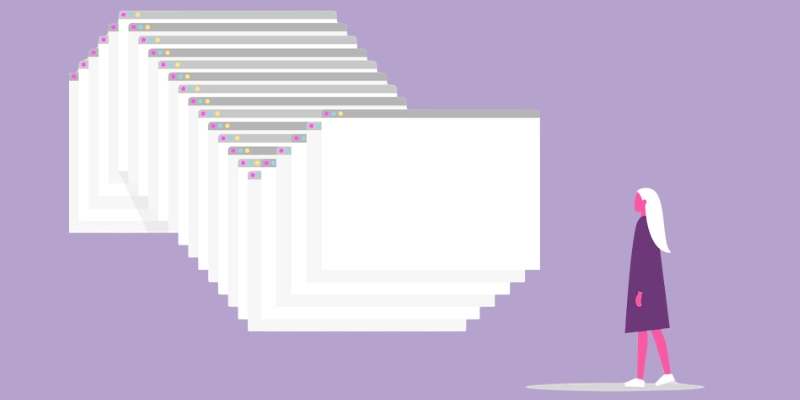
Ever looked at your browser and thought, “Wow, I could open a coffee shop with all these tabs”? You’re not alone. The average person juggles 8-20 tabs at a time. Some of us treat tabs like Pokémon—gotta catch ’em all. But here’s the question: when does multitasking turn into digital hoarding?
Why We Can’t Stop Opening Tabs
Tabs as External Memory
Browser tabs act as reminders—like sticky notes for incomplete tasks. A 2021 study by Carnegie Mellon found that users keep tabs open to avoid losing information or having to look it up again, treating them as placeholders in their mental workspace. [cmu.edu], [maxfoc.us]
Psychological Drivers
- Sunk-cost fallacy: We don’t want to lose the time invested in open tabs. [thisismindseta.com]
- Loss aversion & FOMO: Closing a tab feels like losing a future opportunity. [thetabextension.com], [linkedin.com]
- Zeigarnik effect: Open tabs are unfinished business stored in our brains, creating low-level tension.
The Hidden Cost of Tab Chaos
Cognitive Overload
Each tab adds to cognitive load, increasing the strain on our limited working memory (about 4-7 items at once) and reducing focus. Frequent switching between tabs impairs concentration and efficiency. [allgoodhealth.net], [dsebastien.net], [earlybullets.com], [sharksmind.com]
Performance Issues
Technical limitations also arise: too many tabs consume significant RAM, slow systems down, and may even crash computers (25% of users reported crashes due to tab overload).
When is it Too Much?
If you feel annoyed, overwhelmed, or your browser slows to a crawl, you’ve hit your limit. For most, keeping more than 10–20 active tabs begins to erode focus and productivity. [pcworld.com]
Regaining Control
Here are practical strategies to declutter your digital workspace:
- Set a Personal “Tab Limit”
- Try a 5-10 tab cap based on what your mind can comfortably process. Once you reach the limit, pause and evaluate.
- One-On, One-Off Rule
- Open a new tab only after closing another. This helps reset clutter and encourages more deliberate browsing. [makeuseof.com]
- Use Tab Management Tools
- Tab groups (in Chrome or Edge) or saving collections/spaces (e.g., Workona) to organize and collapse topic-specific tabs. [zdnet.com]
- Extensions like TheTab offer one-click clearing while saving your content for later. [thetabextension.com]
- Convert Tabs to Bookmarks
- If it’s for later reading or reference, try bookmarking instead to reduce visual clutter. [shift.com]
- Batch & Close
- Group similar tasks (research, email, planning), work through them, then close the associated tabs at once.
The Benefits of a Tidy Tab Tray
- Improved focus: Fewer tabs mean fewer distractions and reduced decision fatigue.
- Better system performance: Less RAM usage, faster browsing, and fewer crashes.
- Mental clarity: A clean tab bar helps lower stress and cognitive load.
The Bottom Line
Tabs are tools, not trophies. Keep what you need, ditch what you don’t, and reclaim your digital desk. Your brain—and your browser—will thank you.
This blog is courtesy of MMC Account Manager Jenna Levy.